Findings & Recommendations
What Are Findings and Recommendations?
Findings are observations made while on a job (e.g., "Insufficient Structure Piles"). Each finding can link to one or more recommendations.
Recommendations are what you advise your clients to do (e.g., "Add Structure Piles"). The recommendations are often included in electrofishing reports, meaning they're what the client sees.
By adding and removing findings, recommendations will be automatically added and removed from the job. You can take advantage of this to generate a comprehensive list of action items for your clients by simply taking note of your observations. Of course, you can also manually add and remove recommendations, and even create new ones while on the job.
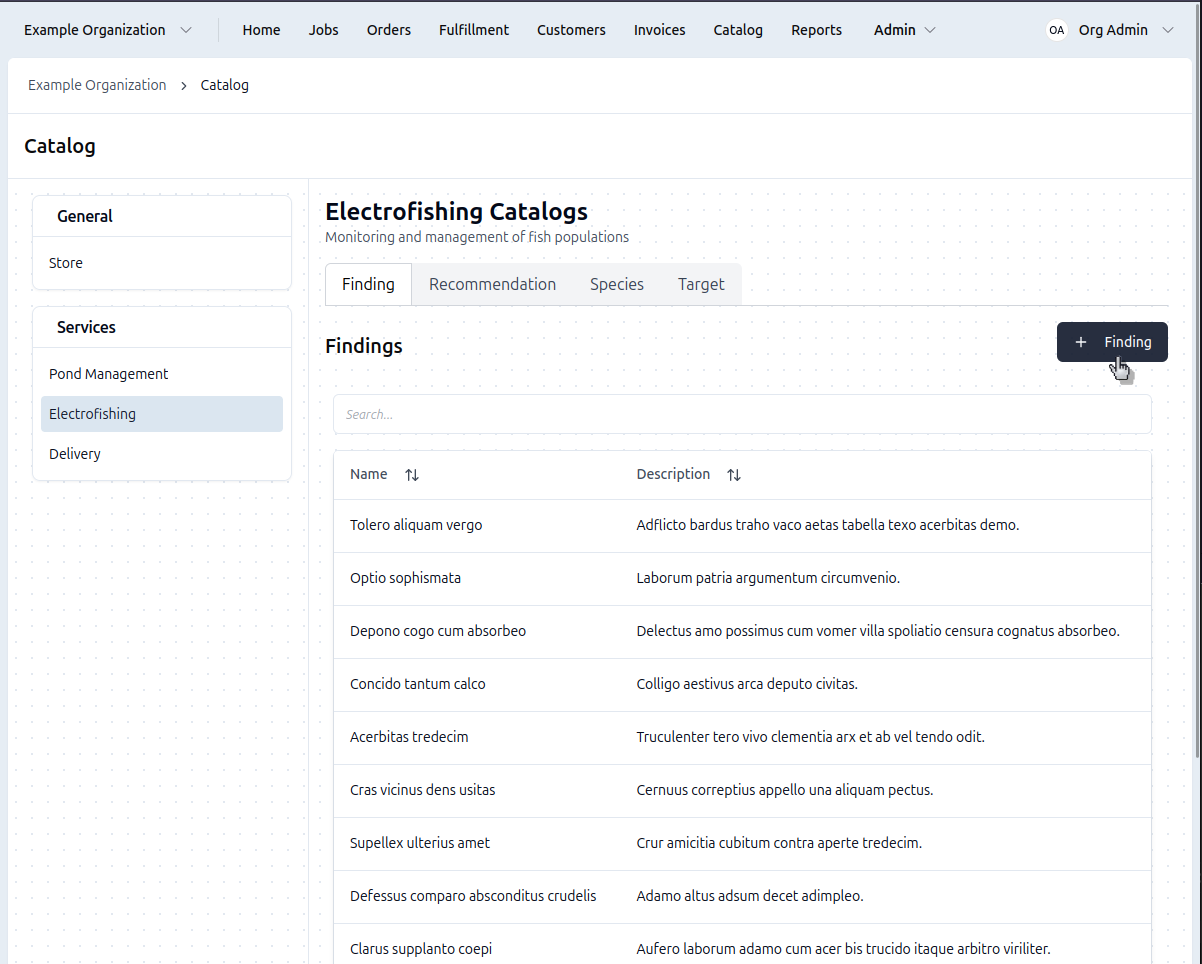
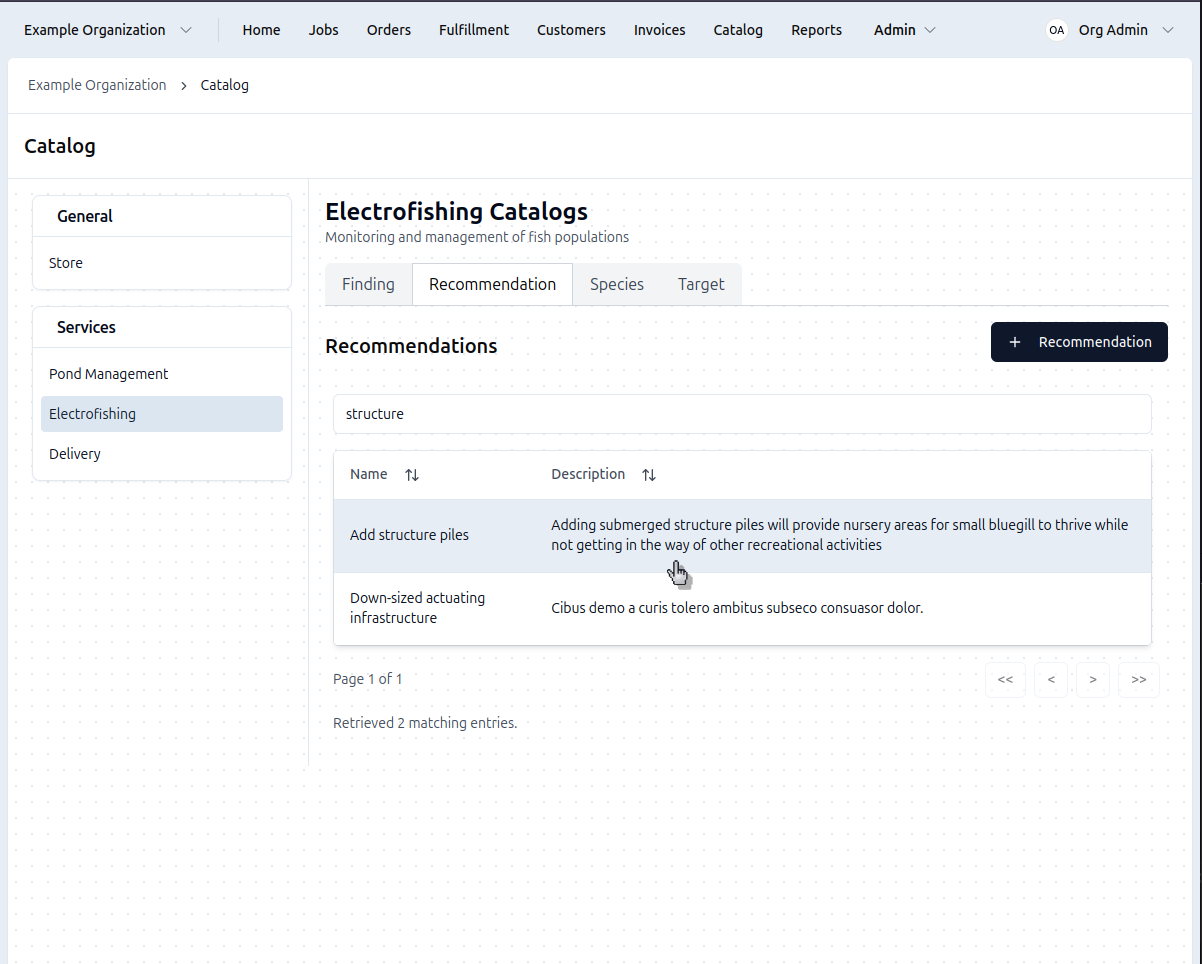
Access the catalog: Click Catalog in the top navigation bar → Select the Electrofishing catalog → click the Findings tab
Create a Finding
- Go to Catalog → Electrofishing → Findings tab
- Click the + Finding button
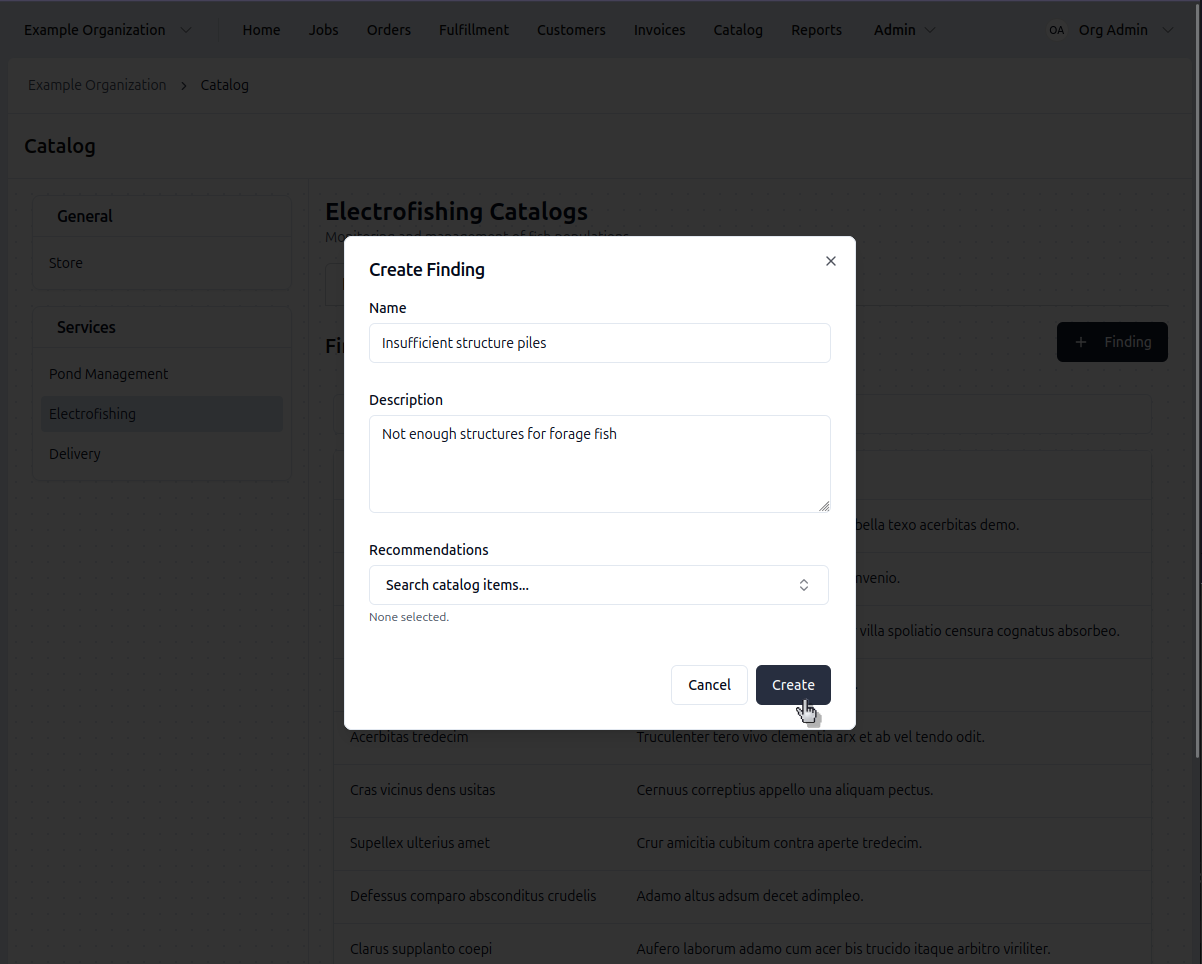
- Enter the observation text
- Under Recommendations, select the recommendations you'd like to link
- If the recommendation doesn't exist, you can create it later and link your new finding to it.
- Click Save
When you select this finding in the field, the linked recommendations automatically appear in the job and can show up later in the report.
Link Findings & Recommendations
Each finding can have multiple recommendations and vice versa:
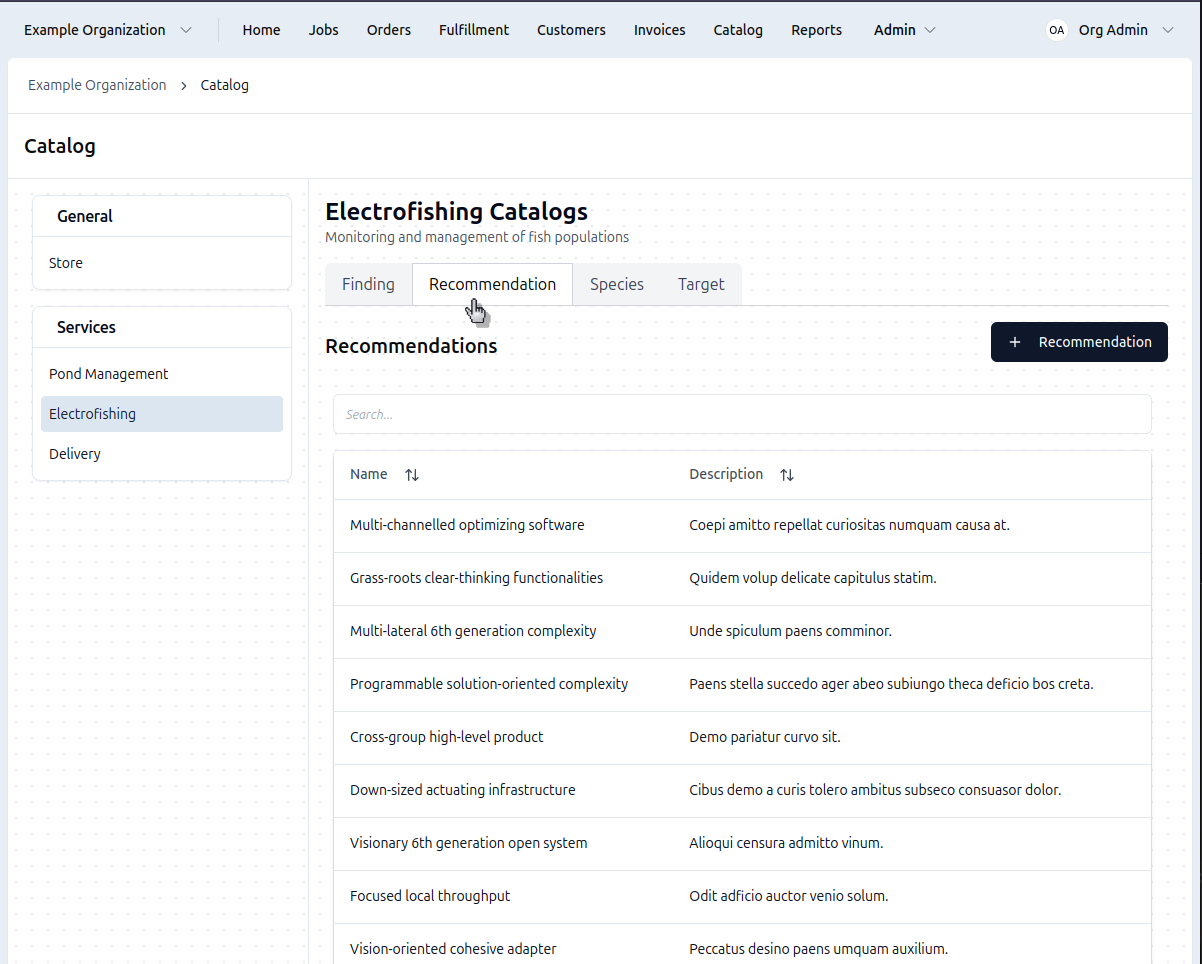
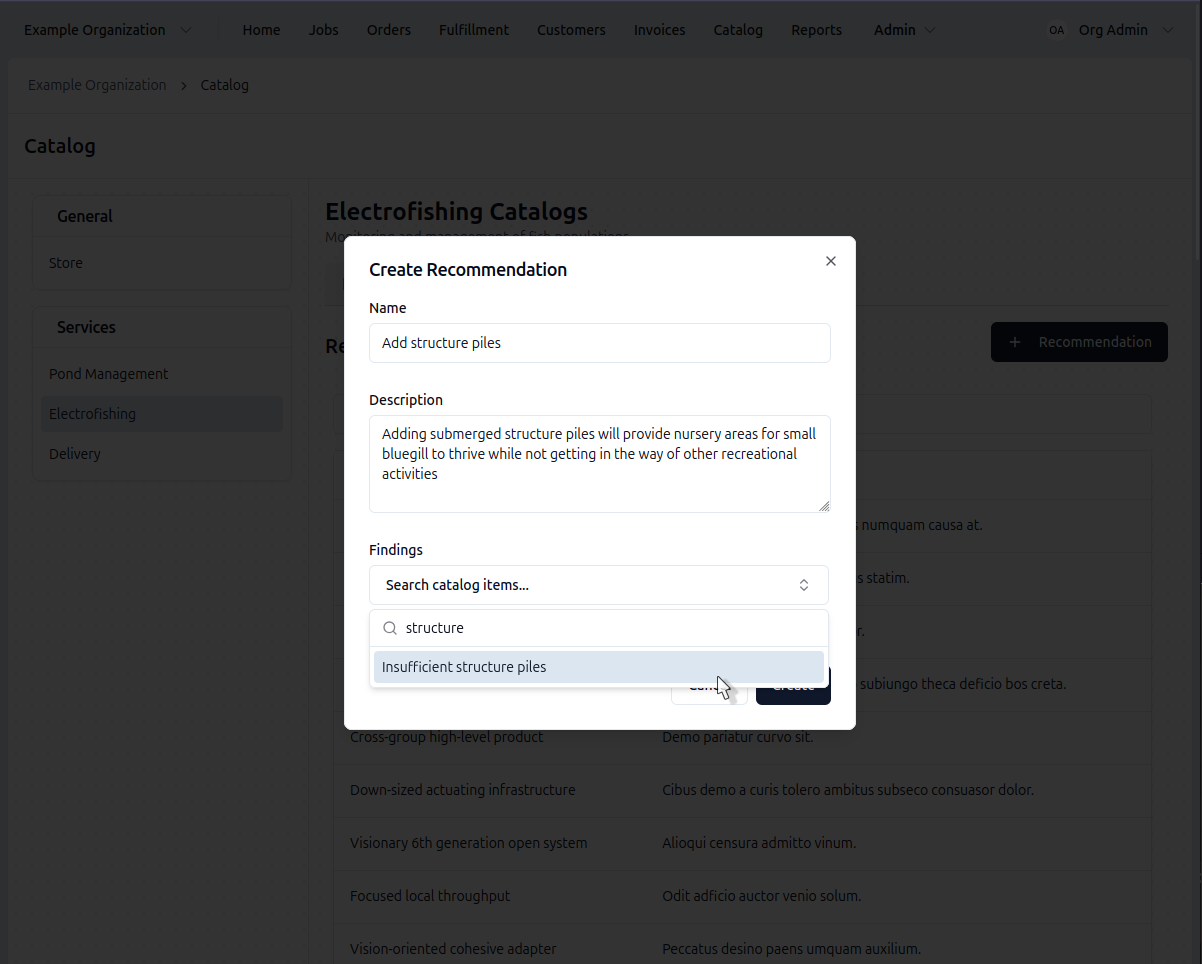
- Edit an existing finding or recommendation or create a new one
- Select the items you'd like to link from the list provided
- Repeat to add more
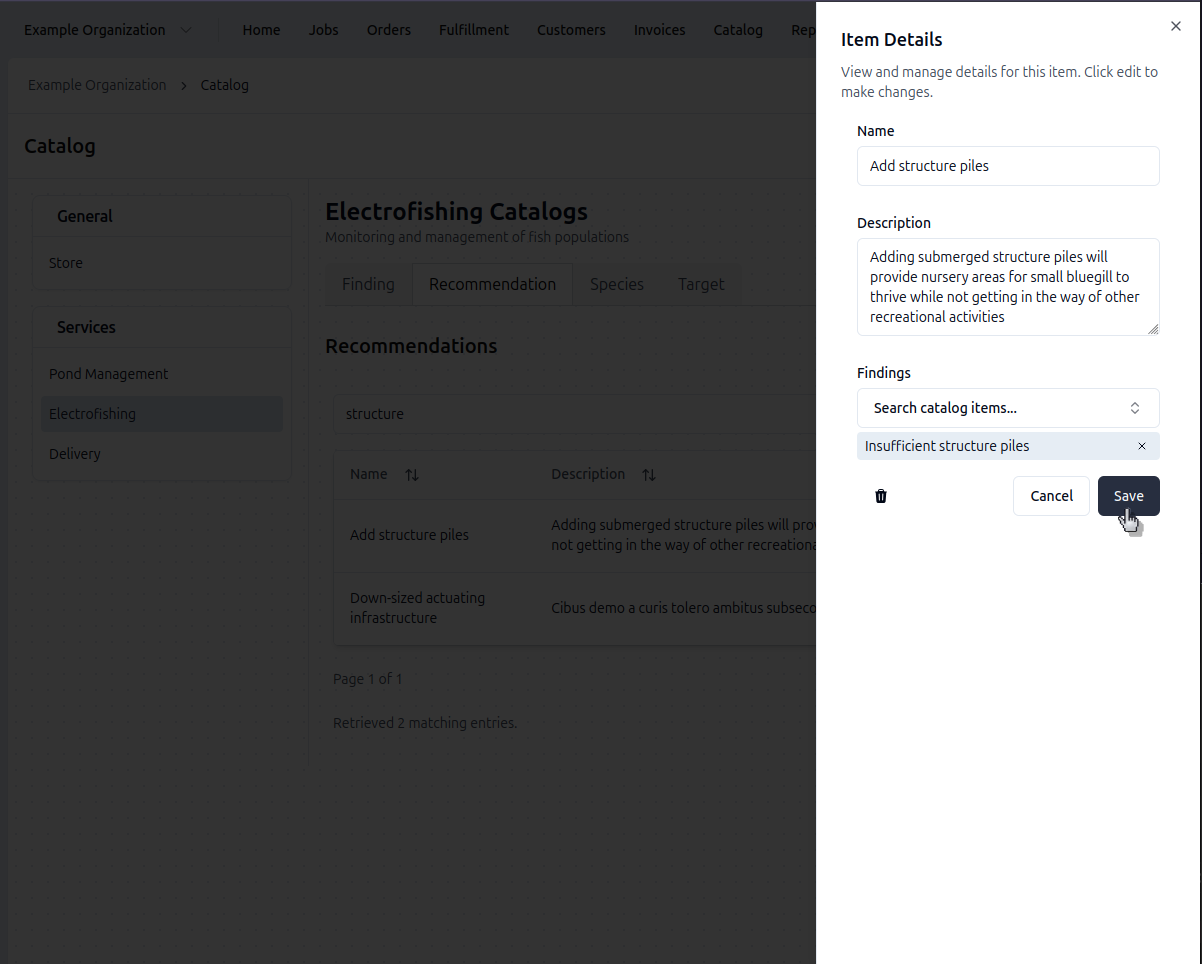
- Click the 'x' next to a linked item to remove the link
- Click Save
The relationship is bidirectional - you can also create recommendations first and link them to findings later.
Managing the Catalog
- Edit Findings & Recommendations
- Delete
Editing Existing Findings & Recommendations
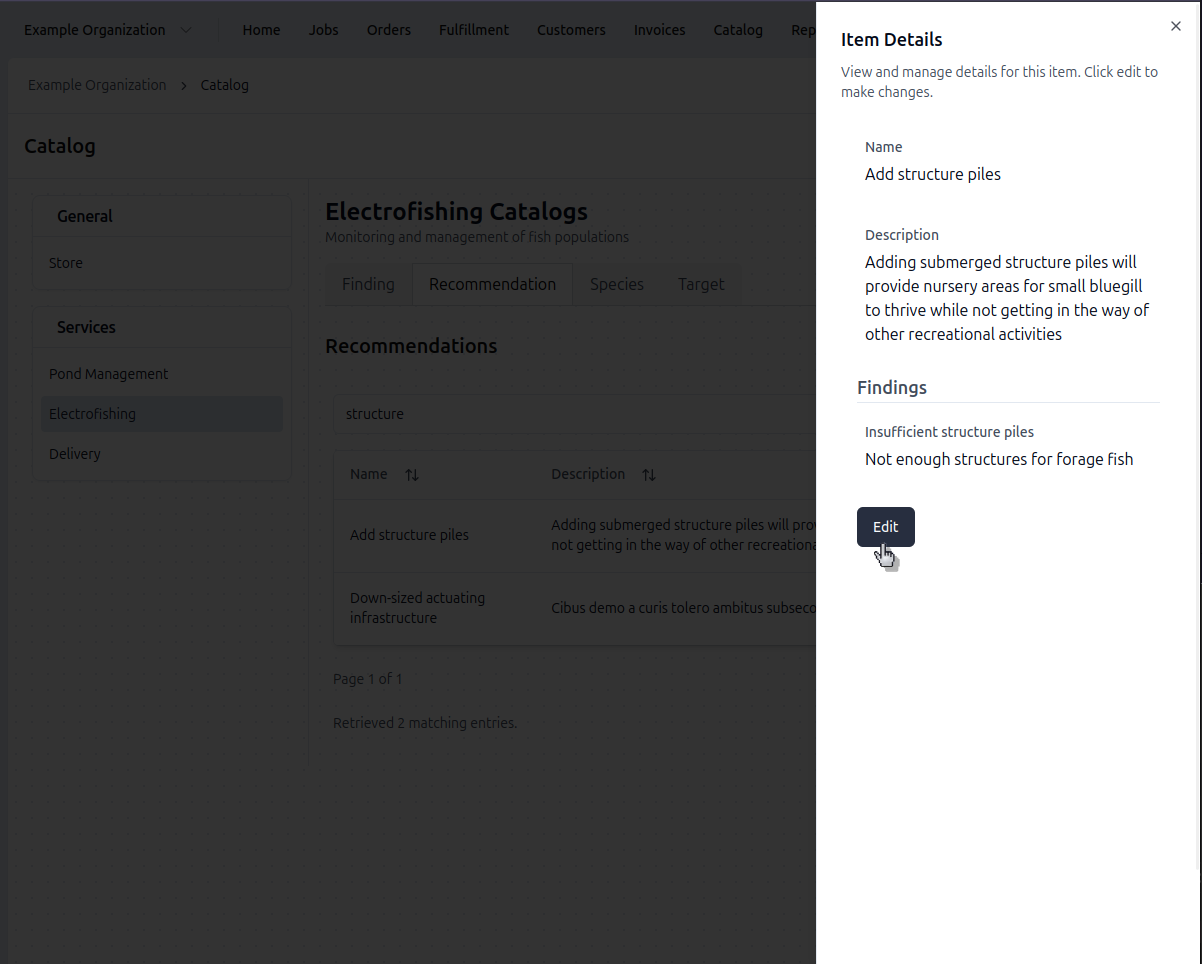
- Select the item to edit from the relevant catalog list
- Click Edit in the lower right corner of the side sheet
- Update text or linked items
- Click Save
Changes apply to future reports only, existing reports will not be changed.
Removing Findings
- Select the finding from the catalog list
- Click Edit
- Click the trash icon in the lower left of the side sheet
- Confirm deletion
Changes apply to future reports only, existing reports will not be changed.